Peasier is a photographer workspace platform that combines gallery delivery, payments, payouts, AI culling, and search in one flow.

The Problem Most Photography Businesses Face
Photographers usually run their business across multiple disconnected tools: one for galleries, one for contracts, one for invoicing, another for payouts, plus manual steps for culling and search.
That split creates the same issues repeatedly:
- Delays between delivery and payment
- Extra admin to track projects across apps
- Inconsistent client experience from booking to final handoff
- Slower turnaround when media volume is high
Peasier is built to reduce that friction.
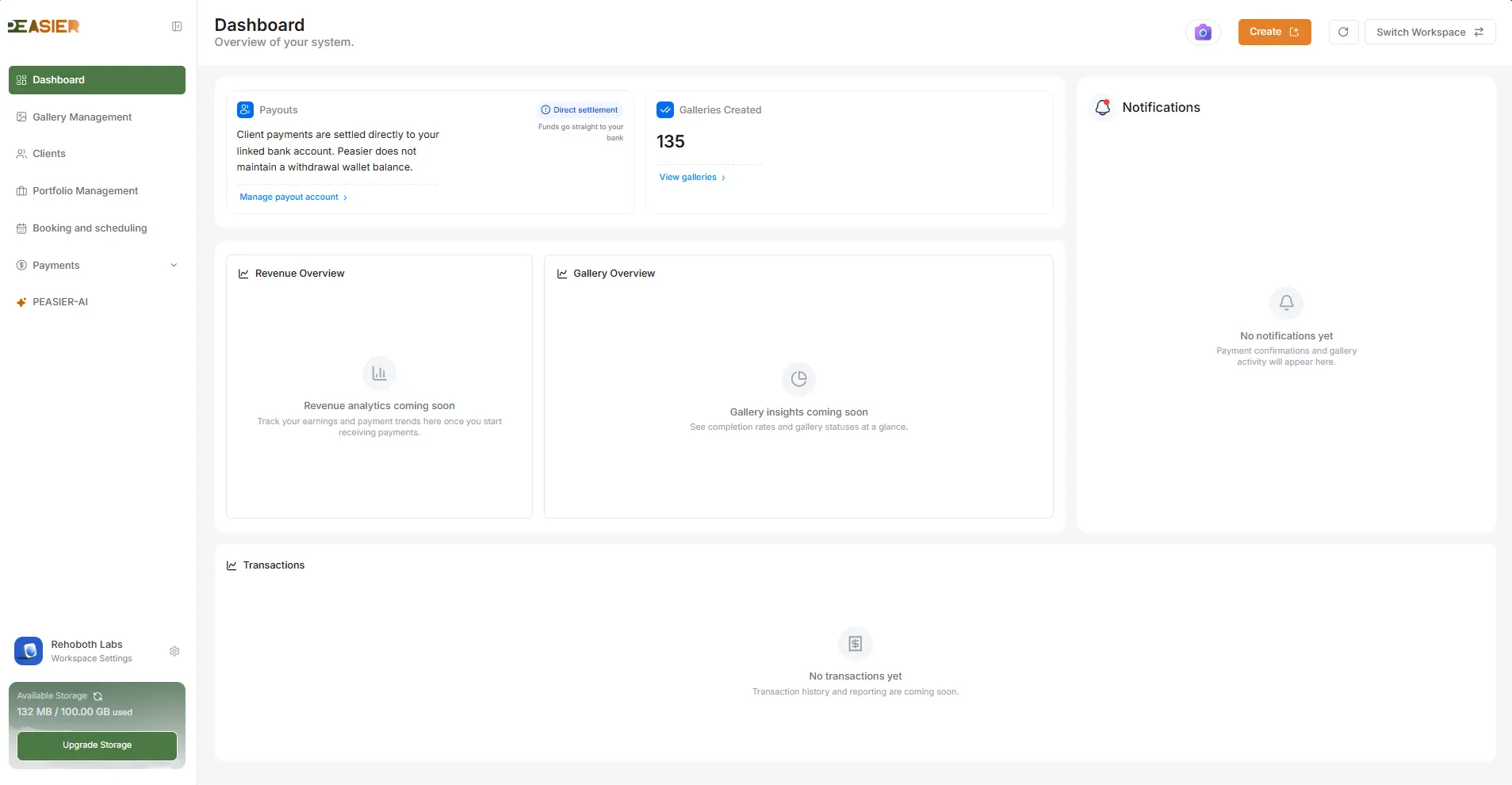
What Is Peasier?
Peasier is an all-in-one platform for photography businesses that combines:
- Gallery Management - create and manage branded client galleries with visibility controls, highlights, and templates.
- Public Client Delivery - share galleries through private tokenized links, including private/PIN-protected access when needed.
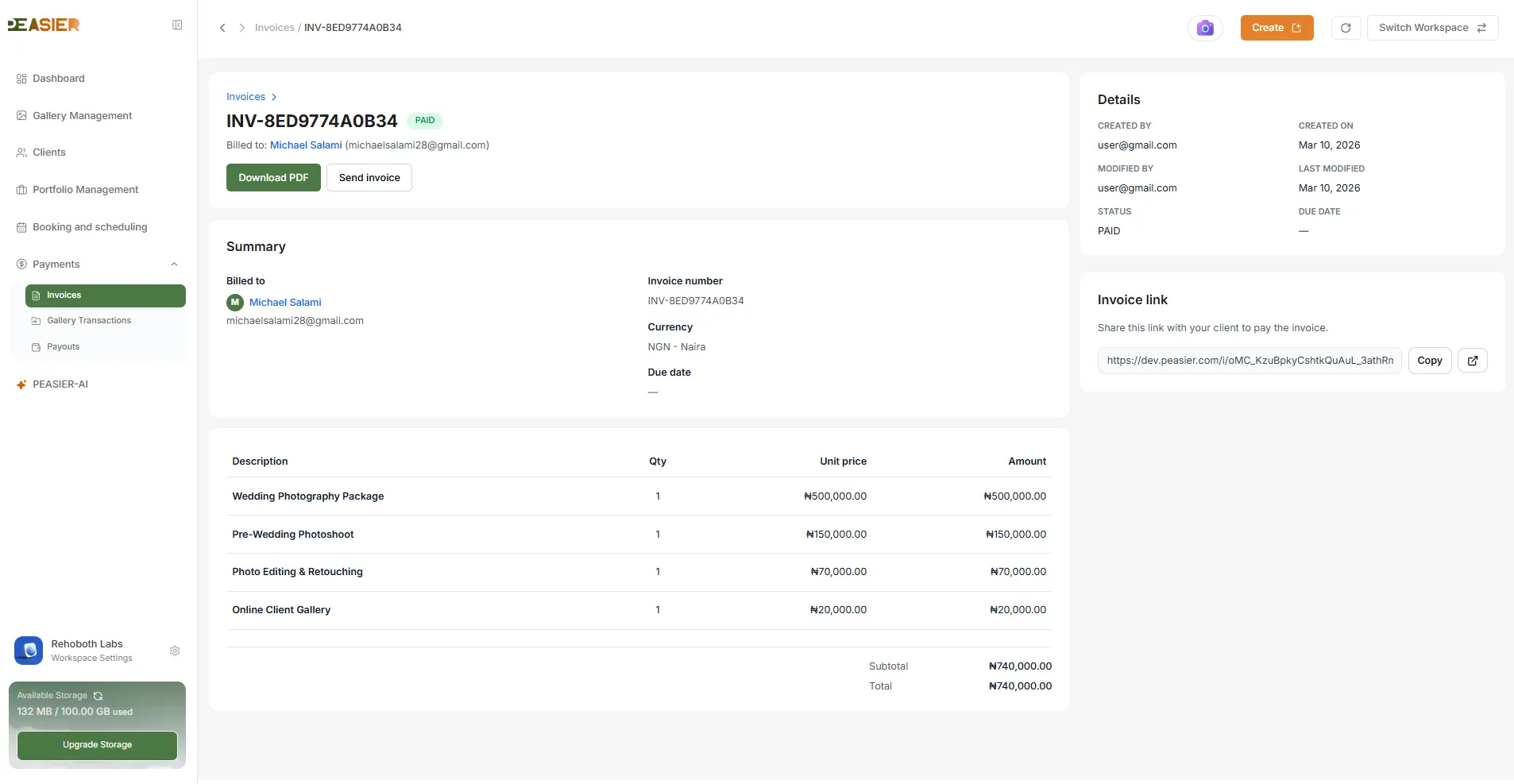
- Payments and Invoices - collect payments through gallery-linked flows and invoice routes.
- Payouts and Settlements - monitor incoming revenue and payout history with downloadable statements.
- AI-Assisted Workflows - speed up large projects with culling and face/image search flows.
- Workspace and Team Controls - run multiple workspaces with role-based access for owners, admins, and staff.
How the Peasier Workflow Works
1) Set Up Your Workspace
After signup and onboarding, photographers create or join a workspace. A workspace is the core business container for projects, team members, and settings.
This matters because Peasier is built for multi-tenant safety: data, permissions, and actions are workspace scoped.
2) Create a Gallery
From the dashboard, you create a gallery and define key settings:
- Basic gallery details and client context
- Privacy and publish state
- Payment requirement and amount (if applicable)
- Optional facial-recognition mode
3) Upload and Organize Media
Inside gallery management, media can be uploaded and organized into:
- All Photos
- Highlights
- Templates
You can update covers, manage gallery content in batches, and maintain a clear client-ready structure.
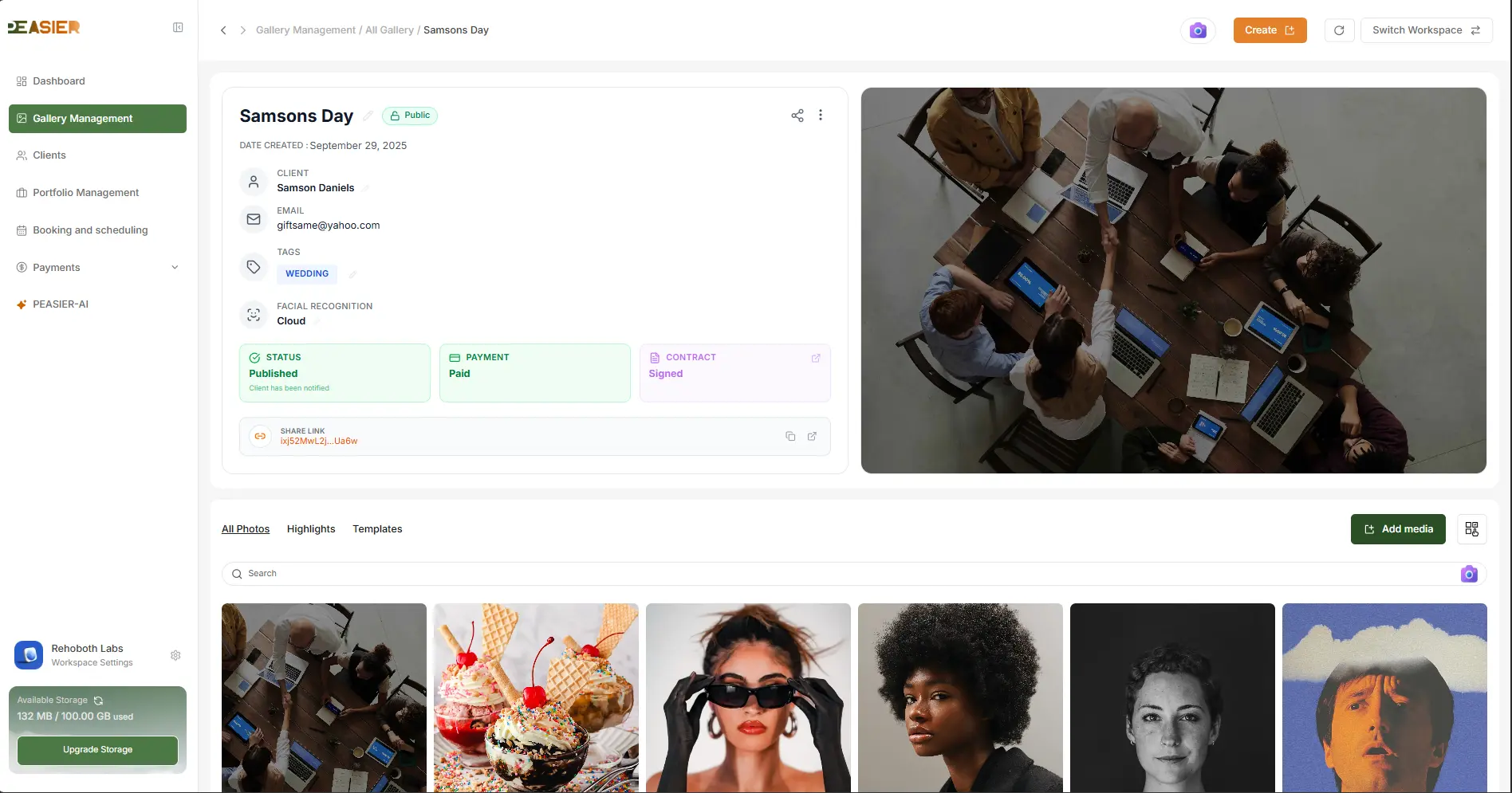
4) Share With Clients Using Public Links
Each gallery can be shared with a tokenized public link. Depending on settings, the experience can be public, private, or PIN-gated.
For paid galleries, clients can preview and then pay to unlock complete delivery workflows.
5) Collect Payments and Track Payouts
Peasier connects delivery with business outcomes:
- Client-facing payment flow for galleries/invoices
- Dashboard-level transaction visibility
- Payout and settlement records for financial operations
6) Speed Up High-Volume Jobs With AI Workflows
For heavy shoots, Peasier includes AI-supported workflows for:
- Culling progress and review flows
- Facial recognition and image-based search
- Faster retrieval across media collections
Why This Approach Is Different
Peasier is not just a gallery frontend. It is a connected operational system where delivery, payment, and team collaboration are tied together in one workflow.
That gives photographers:
- Fewer tool switches
- Better consistency for clients
- Faster turnaround on large projects
- Clearer financial visibility from gallery to payout
Who Peasier Is Built For
- Wedding photographers
- Portrait photographers
- Event photographers
- Studios and teams running multi-user workflows
Start With One Gallery, Then Scale
If you are currently stitching together multiple tools to deliver and monetize your client work, start by running your next gallery end-to-end in Peasier.
You can create your account here: Create your free account.